AlphaSure Ltd. 41 Walpole Road London E18 2LN United Kingdom

|
 |

|

|
 |
| Click the "Exceptions" tab at the top.
This will take you to where you allow Retrospect to come in and talk to your computer and allow Retrospect to copy data from the client machine, and to do this needs two additional ports to be added.
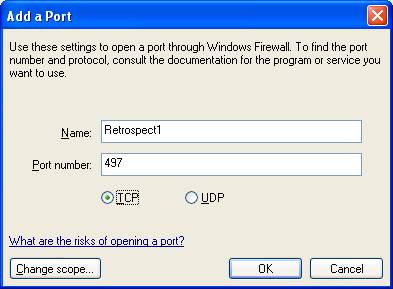
Click the "Add Port" button, and fill in the information as follows
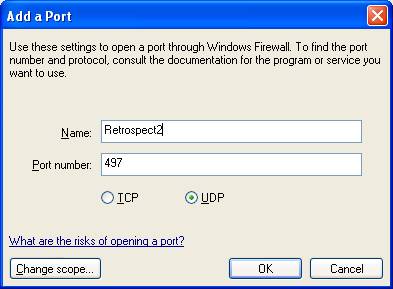
Click OK Click the "Add Port" buttonagain, and fill in the information as follows
Click OK
Now, you have to add the program:
Click Add Program Button
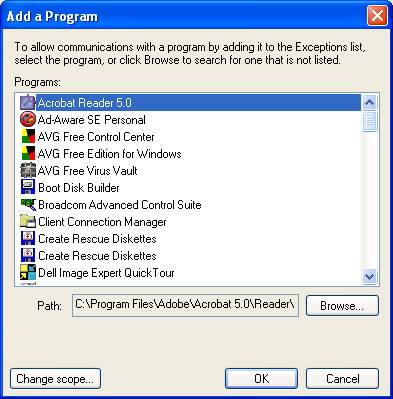
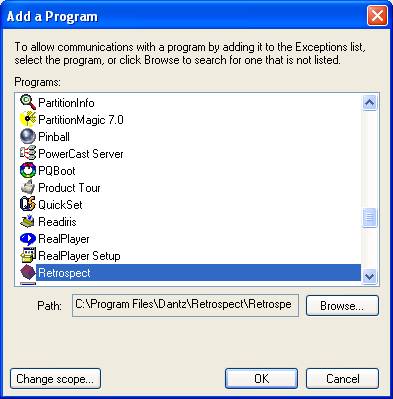
Windows XP will go off and search for all the programs on the PC and come back with a list:
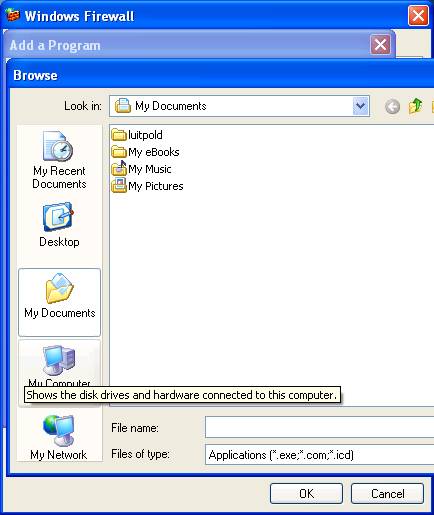
Navigate down to Retrospect (or Dantz Retrospect) -they are in alphabetic order- click on it to highlight it and click the OK button. If your Retrsopect is recently installed and hasn't been started up yet (like mine), it may not show in the list. In this case, click on the Browse button, and you get something like this:
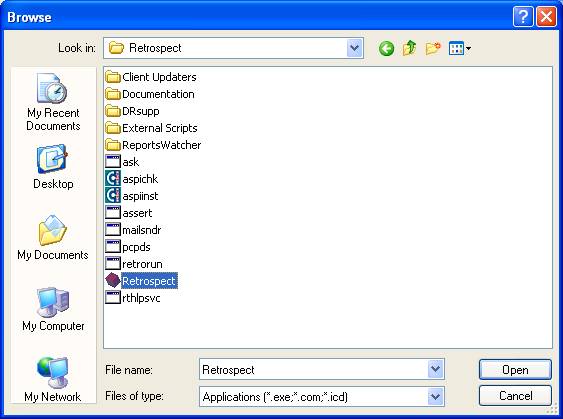
Click on the top box (shown as "My Documents" in this case. You will get a pull down menu, and choose the C Drive. Double Click the C Drive, and double click "Program Files", double click "Dantz", double click "Retrospect" and select the Rtersopect application with the red cube:
Click Open. You now have Retrsopect in the list of applications, so highlight it and click OK
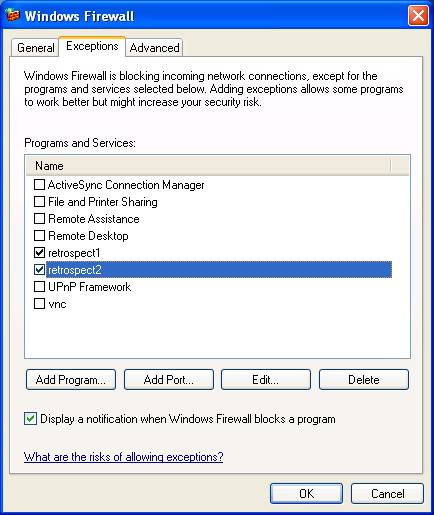
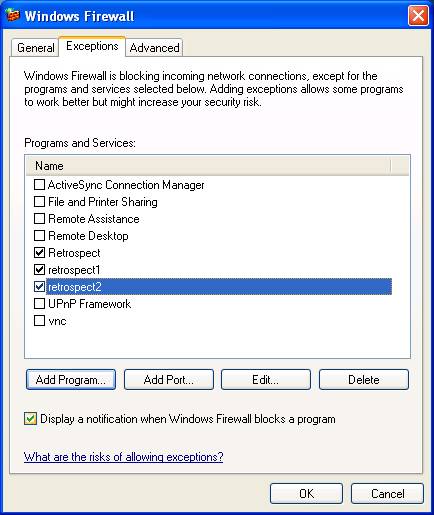
Your system should now look something like this (the important ones being Retrsopect1 and 2 and the Retrsopect Program, and make sure they are all ticked):
You still need to setup the client (shorter than this, and probably easier as you have already done it on this machine). So, for the Client machine instructions, click Here.
|