AlphaSure Ltd. 41 Walpole Road London E18 2LN United Kingdom

|
 |

|

|
 |
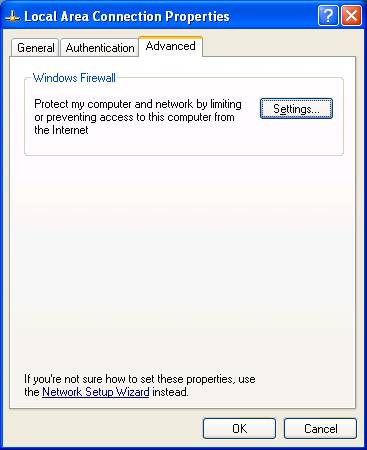
| Click the"Settings" button
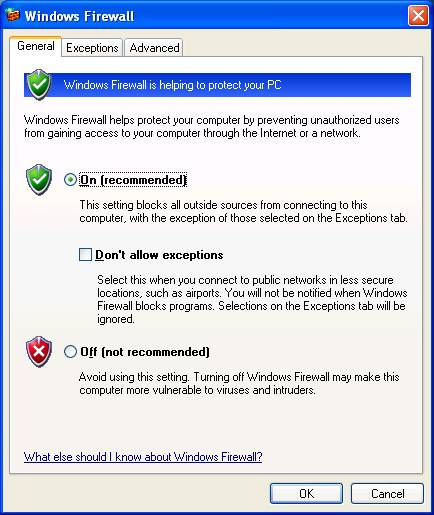
Ensure the On button is filled:
Click the "Exceptions" tab at the top.
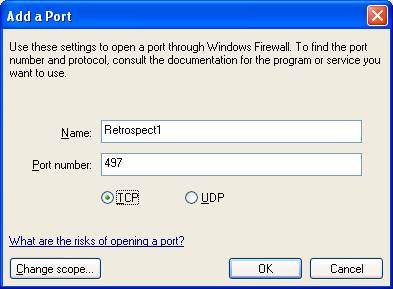
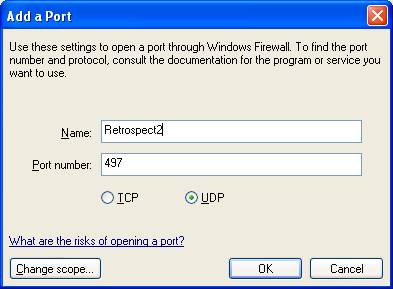
This will take you to where you allow Retrospect to come in and talk to your computer and allow Retrospect to copy data from the client machine, and to do this needs two additional ports to be added.
Click the "Add Port" button, and fill in the information as follows
Click the "Add Port" buttonagain, and fill in the information as follows
|